
Free YouTube Converter Online
Convert YouTube to MP3 or MP4 with ease
Convert YouTube Videos Fast Without Any Hassle
Our YouTube converter is a free, online tool that lets you convert YouTube to MP4 and MP3 formats in a matter of seconds. Whether you’re on Windows, macOS, Android, or iPhone, this free YouTube downloader works seamlessly on any device. It’s quick, secure, and completely free to use.
Upgrade for More YouTube Download Features
Convert YouTube to MP3 320kbps
Download YouTube MP3 at high bitrates, ensuring top-notch quality.
Download YouTube to MP4 in HD
Get YouTube to MP4 download with high quality up to 4K resolution quickly.
Batch Convert YouTube Playlist
Download entire playlists or multiple videos at once with ease.
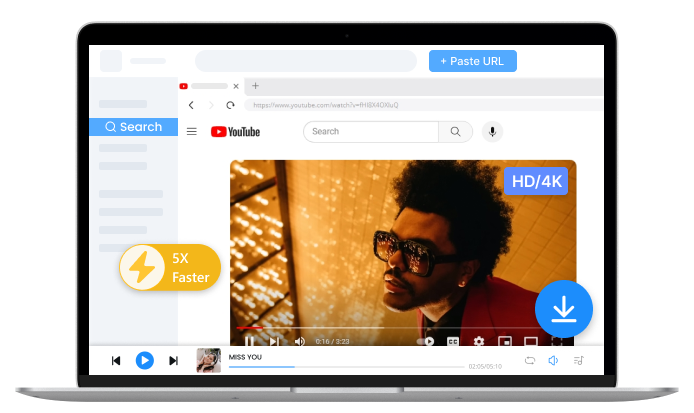
How to Use the Free YouTube Converter
Using our online YouTube converter is simple and quick. Just follow these steps to download and convert YouTube videos:
-
1. Search or Paste a URL
Open our free YouTube converter and paste the copied URL into the designated box.

-
2. Convert YouTube Video
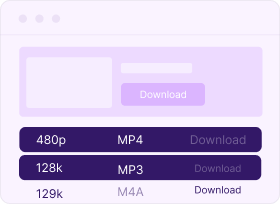
Select MP4 for video or MP3 for audio, then start the YouTube conversion process.
-
3. Download to Device
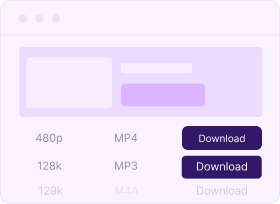
Click the “Download” button to save the video or audio to your device.
Why Users Love This Online YouTube Converter
-
Simple YouTube Music Converter
This YT converter is easy to use. Merely paste the link, then you can convert YouTube link to MP3 instantly. No learning curve is required.
-
Free YouTube Converter Online
You don’t need to pay anything to convert YouTube videos to MP3 or MP4. This excellent YouTube converter promises to be 100% free forever.
-
Safe YouTube Video Downloader
No account or personal information is required. No ads or clickbait will interrupt your experience. This online YouTube converter is 100% safe to use.
FAQ about KitsRun YouTube Converter
-
1. What is the best YouTube converter?
The best YouTube converter is one that offers fast download speeds, high-quality video/audio, and works without the need for extra software. Fortunately, KitsRun offers such an ideal tool - safe, free, and has no ads. Try it right now.
-
2. Is the YouTube Converter safe to use?
Yes, it’s completely safe! We ensure that there are no ads, pop-ups, or malware on our free YouTube converter. It’s a secure, clean experience.
-
3. What formats can I download from YouTube?
You can download YouTube videos in MP4 for video or MP3/M4A for audio.
-
4. Do I need to register or log in?
No, you do not need to create an account or log in. Simply use the YouTube converter anonymously without any personal details required.
-
5. Can I use the YouTube Converter on mobile?
Yes, our YT converter works perfectly on mobile devices. Whether you’re using a smartphone or tablet, you can convert and download YouTube videos to MP4 or MP3 effortlessly.
-
6. Can I use this YouTube Converter on Mac?
Yes, you can use our YouTube converter on Mac in three simple steps:
1. Open your browser on Mac and go to the online YouTube Converter, then paste the video URL.
2. Choose your desired format (MP4 for video or MP3/M4A for audio).
3. Click “Download” to save the file to your Mac.
How Would You Rate Us?
Please rate us 5 stars
if you like the free YouTube converter!
reviews
Last updated: 2025-10-29
